Add Yourself as a Guest to the Meeting
Overview
If you are scheduled for office hours during the time of the meeting and are going to host the meeting, you will need to edit the meeting to add yourself as a guest.
Edit the Meeting
- Go to your google calendar (opens in a new tab) and find the meeting you would like to attend.
- Click on the meeting to open it.
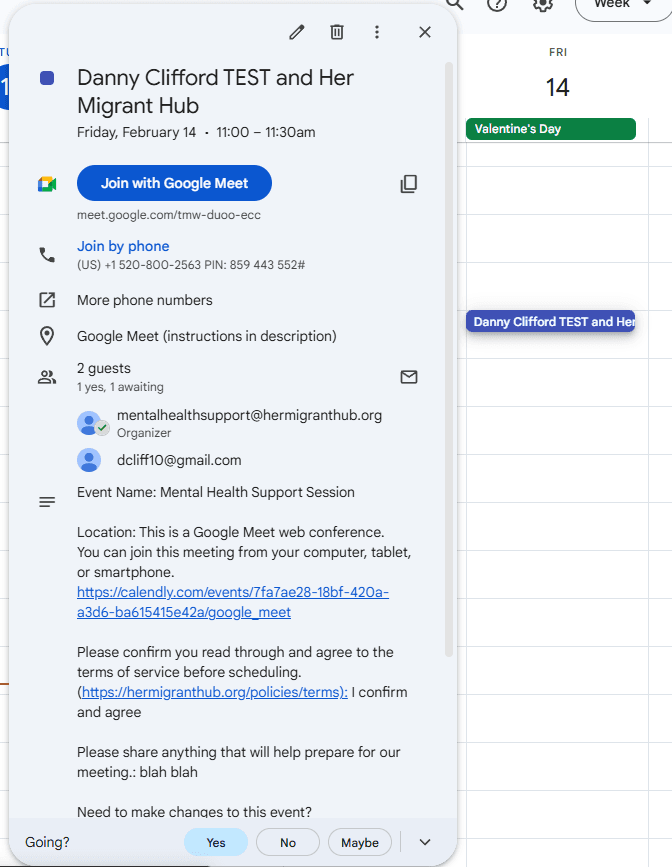
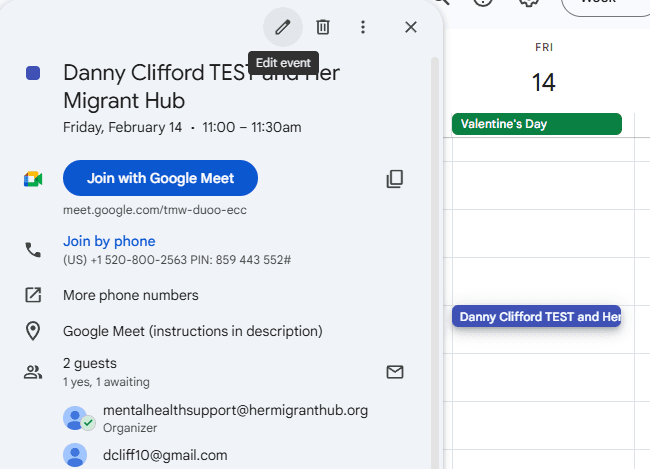
- Click on the "Edit" button.
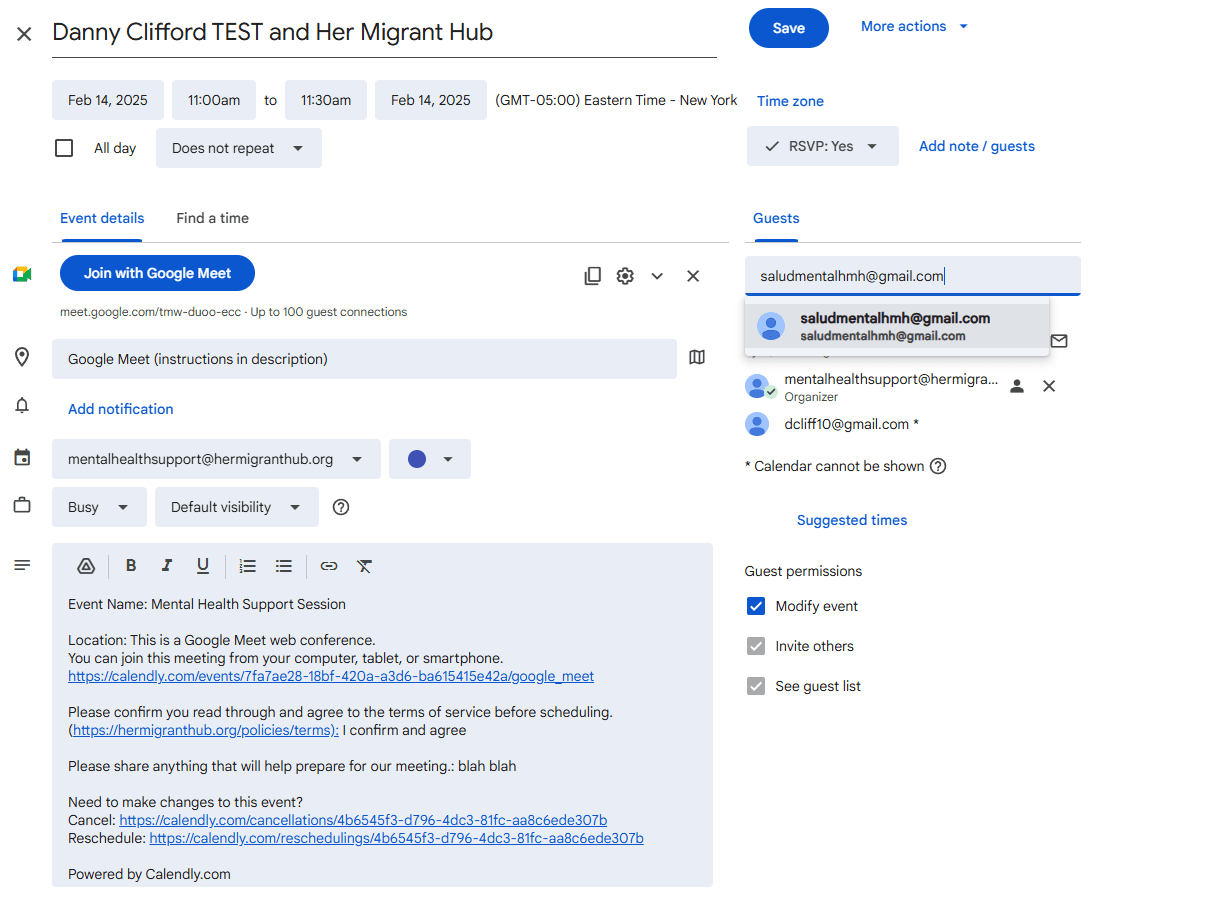
- On the right under 'Guests', enter the email address you would like to use to join the meeting and receive notifications.
-
Click on the "Save" button at the top of the page.
-
You will receive an email with the meeting details and be able to join the meeting properly.