Changing Status
Mobile App
-
Open the app and login.
-
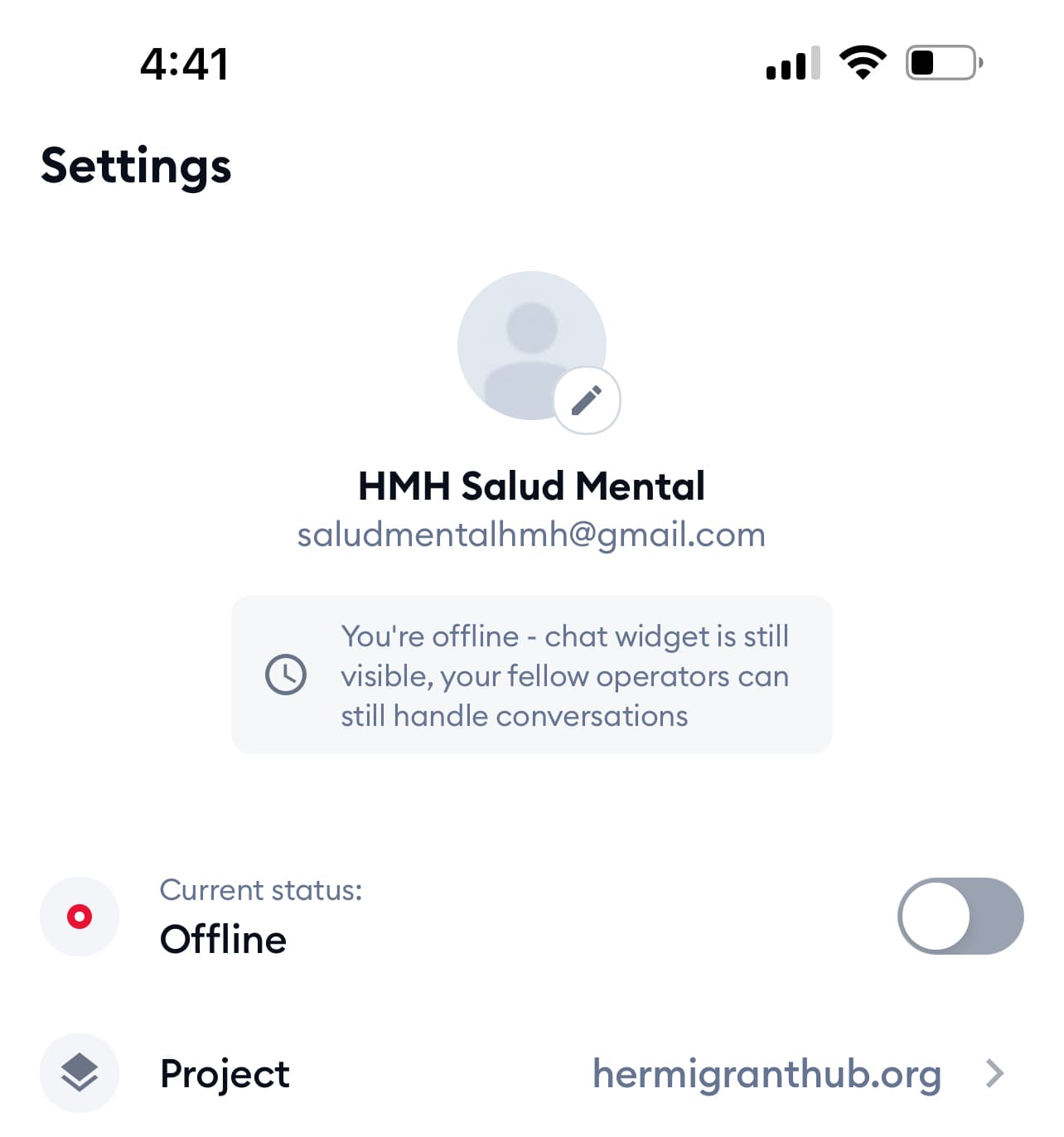
Tap the settings icon in the bottom right corner.
-
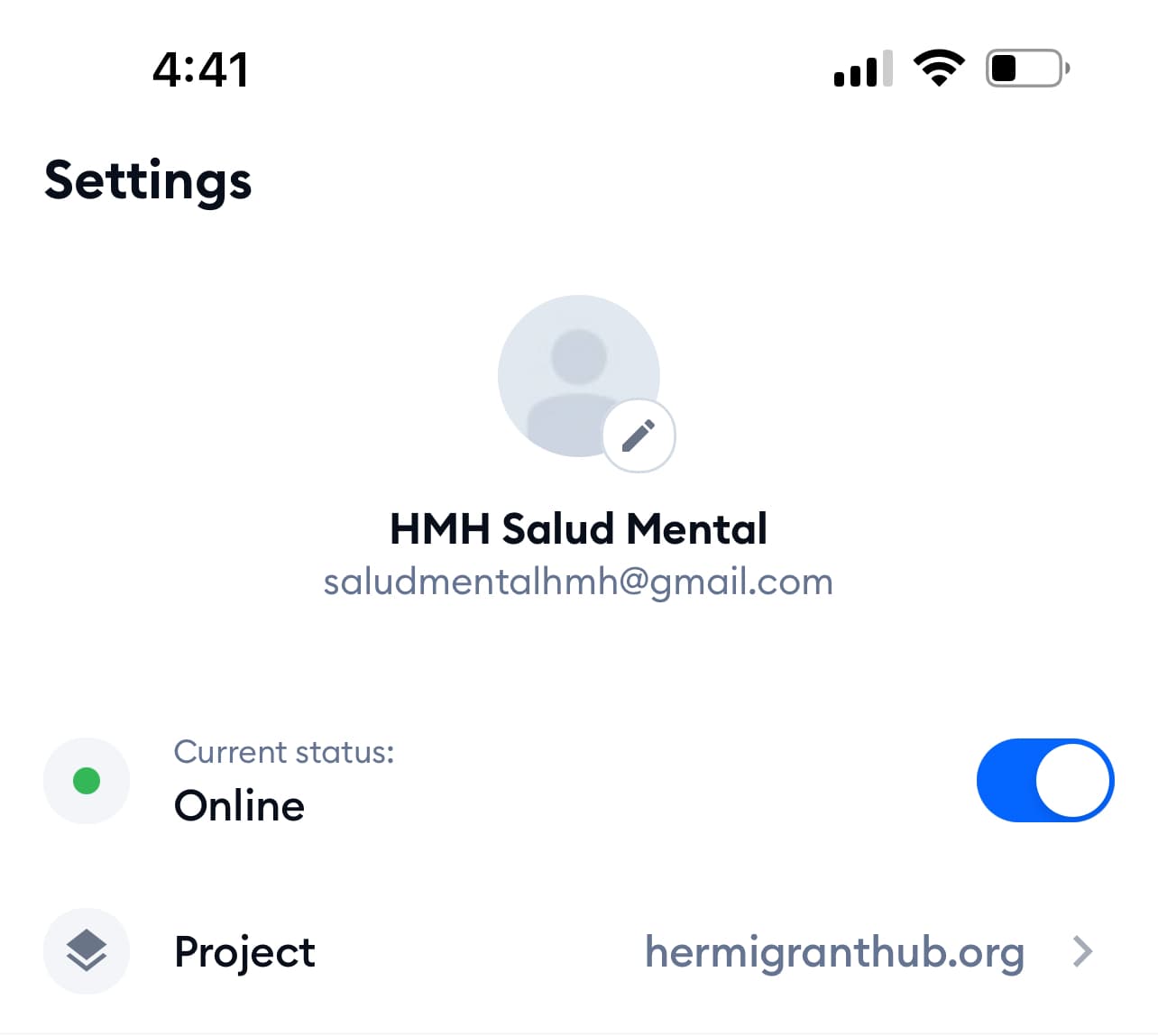
Toggle 'Current Status' to 'Online'.
Web Dashboard
-
Login to the web dashboard.
-
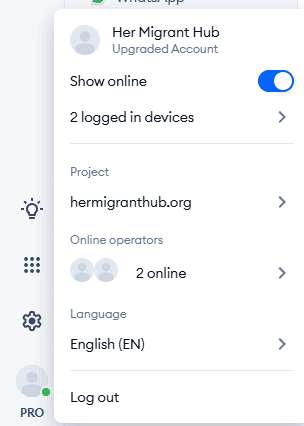
Click on the 'PRO' profile icon in the bottom left corner.

-
Toggle 'Current Status' to 'Online'.
Logging Out
Be sure to change your status to 'Offline' when you are not using the app or website. This will prevent notifications from being sent to you when you are not available to chat and avoid any conflicts with other users.