Link Calendar
Overview
To join a meeting properly and avoid any issues, you will need to become the host of the meeting.
All meetings are automatically saved to the HMH Mental Health Support calendar under mentalhealthsupport@hermigranthub.org.
Please request access to the calendar by emailing mentalhealthsupport@hermigranthub.org or messaging Danny to do so.
Adding People to the Calendar
- Go to the HMH Mental Health Support calendar Settings Page (opens in a new tab).
- Scroll down to Shared With.
- Click on the "Add People and Groups" button.
- Enter the email address of the person you want to add.
- Give the Permissions of "Make changes and manage sharing"
- Click Send.
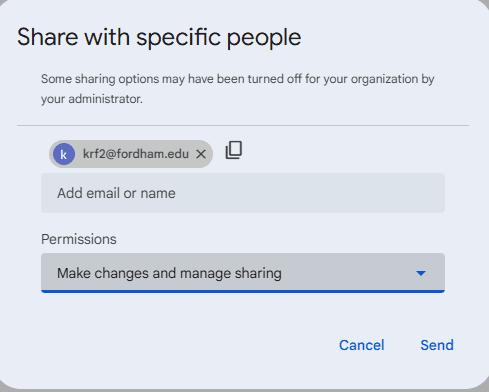
The person you added will receive an email with a link to the calendar and will be able to set themselves as the host of the meeting.
Accepting the Invite
- Click the "Add this Calendar" link in the email to accept the invite.
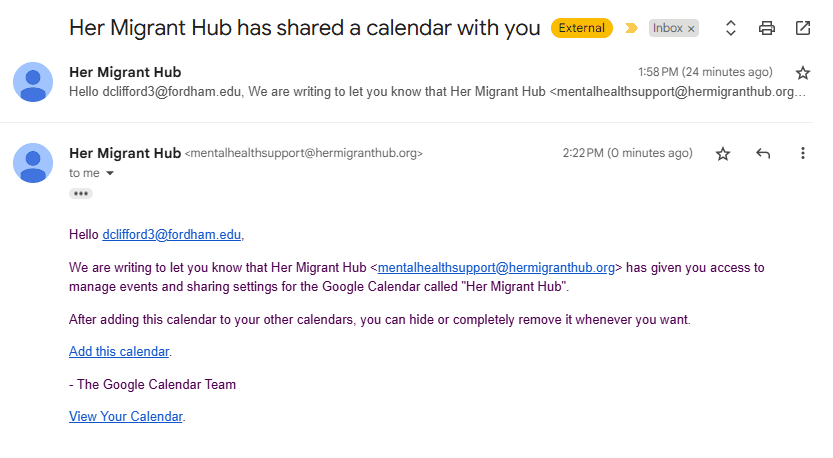
- You will be redirected to your Google Calendar where you will see the HMH Mental Health Support calendar with the option to add it to your calendar.
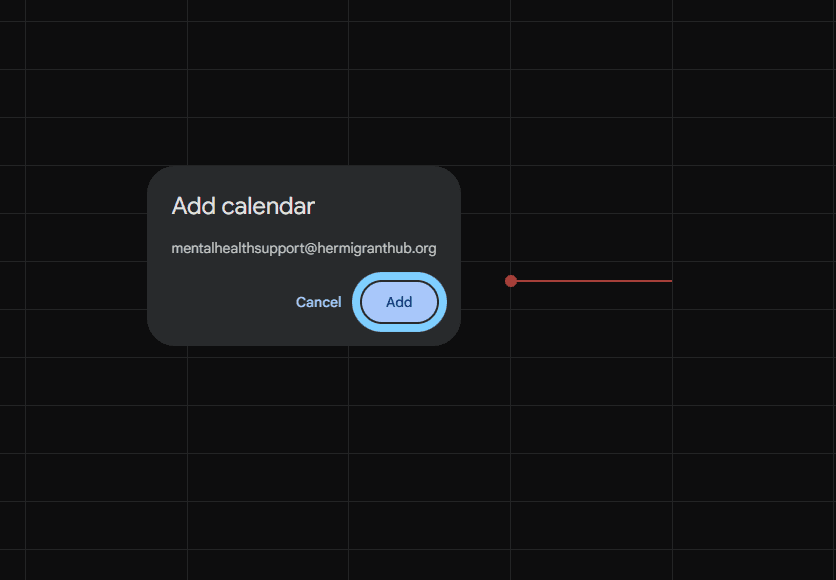
-
Click on the "Add" button to add the calendar to your calendar.
-
Verify that the calendar has been added to your calendar.
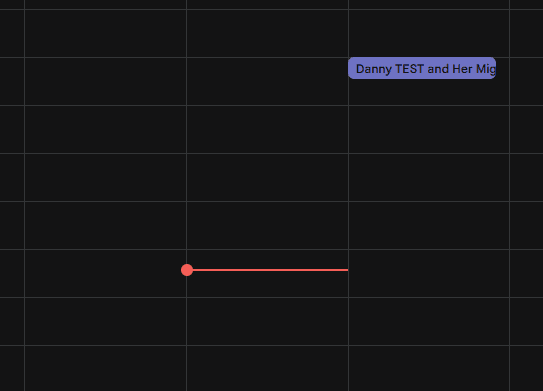
- You will now be able to see the HMH Mental Health Support calendar and add yourself as a guest or host.