HMH Mental Health Support Chat
GitHubGitHub (opens in a new tab) (opens in a new tab)
  • Introduction
  • Getting Started
  • Rules
  • Status & Notifications
    • Changing Status
    • Enable Notifications
    • Customize Notifications
  • Meetings
    • Overview
    • Manage Calendar
    • Add Yourself as a Guest
  • Introduction
  • Getting Started
  • Rules
  • Status & Notifications
    • Changing Status
    • Enable Notifications
    • Customize Notifications
  • Meetings
    • Overview
    • Manage Calendar
    • Add Yourself as a Guest
Question? Give us feedback → (opens in a new tab)Edit this page
Status & Notifications
Enable Notifications

Enable Notifications

  1. Open the app and login.

  2. Tap the settings icon in the bottom right corner.

  3. Ensure your status is 'Online'. Learn more about changing your status
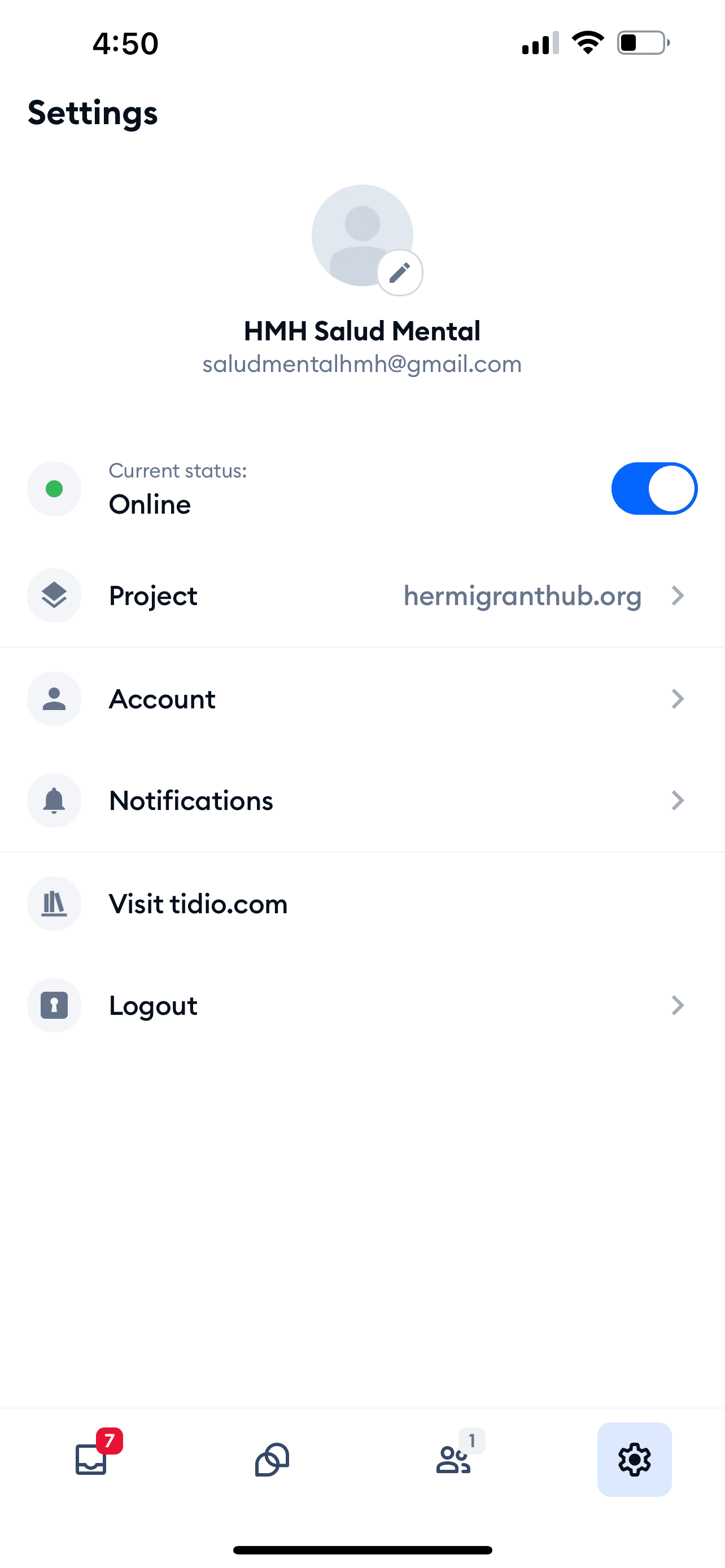
    Settings

  4. Tap Notifications.

  5. The default is to receive notifications when there is a new visitor and your status is 'Online'.
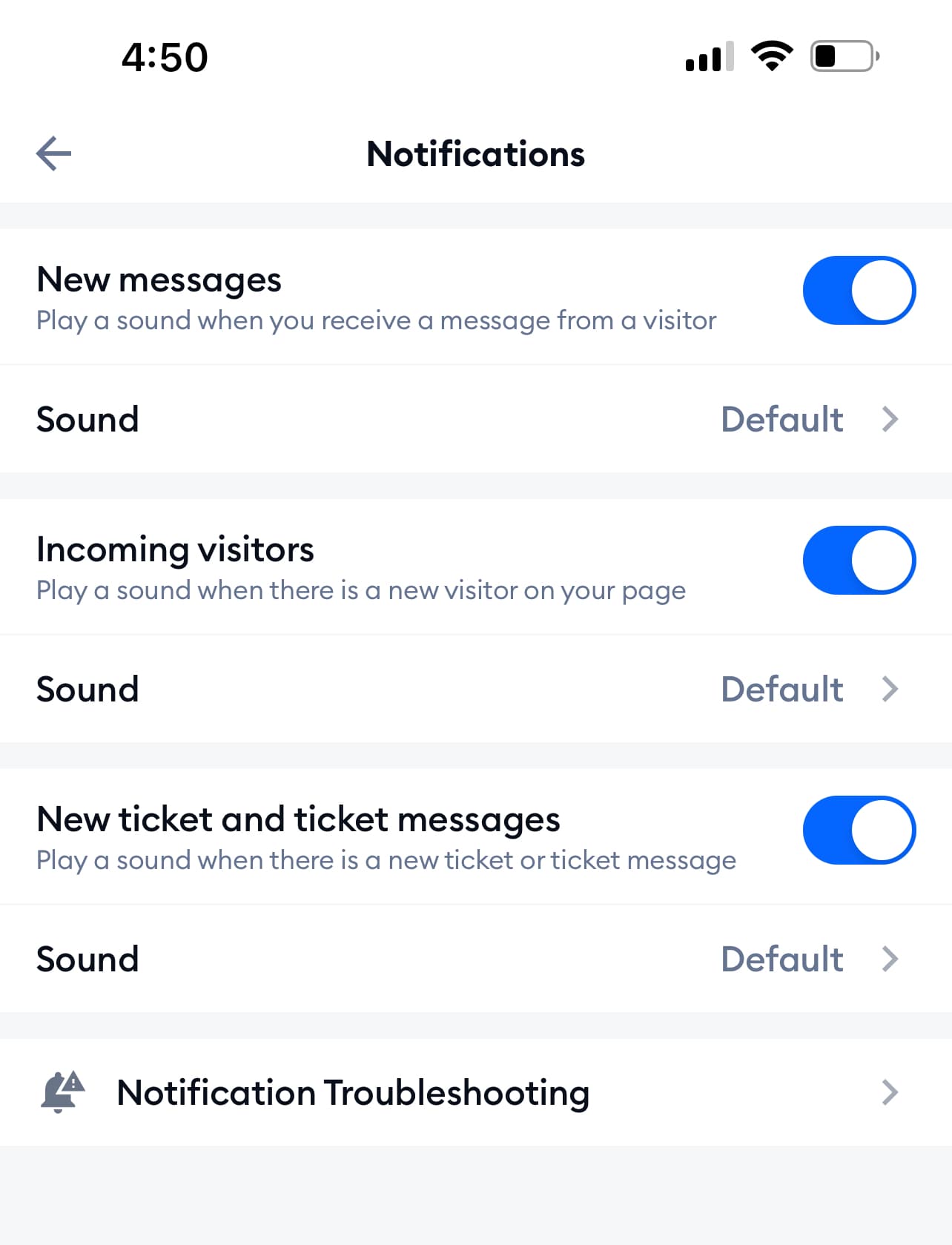
    Default Notifications

  6. Tap the toggle to enable or disable notifications.

Changing StatusCustomize Notifications

Her Migrant Hub Mental Health Support Chat Instructions