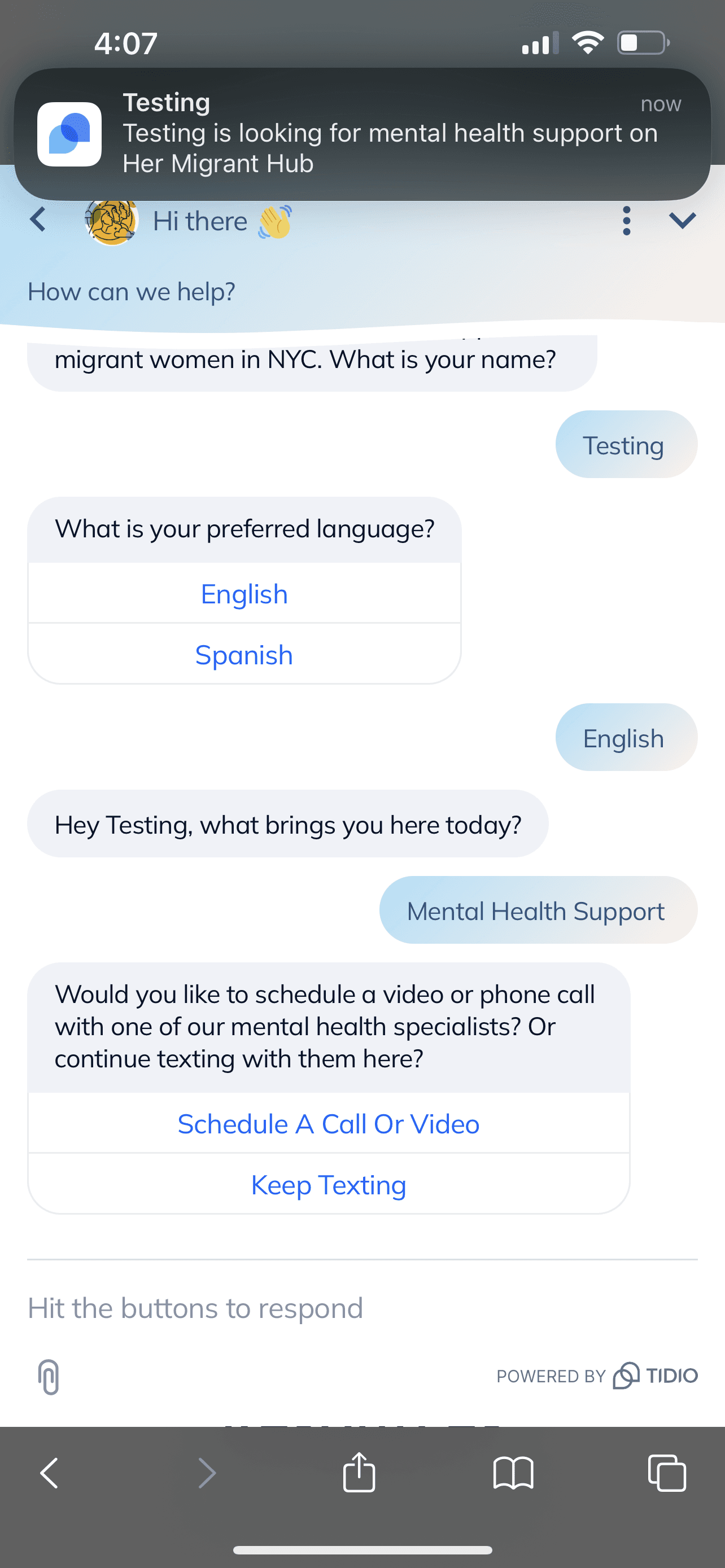
Customize Notifications
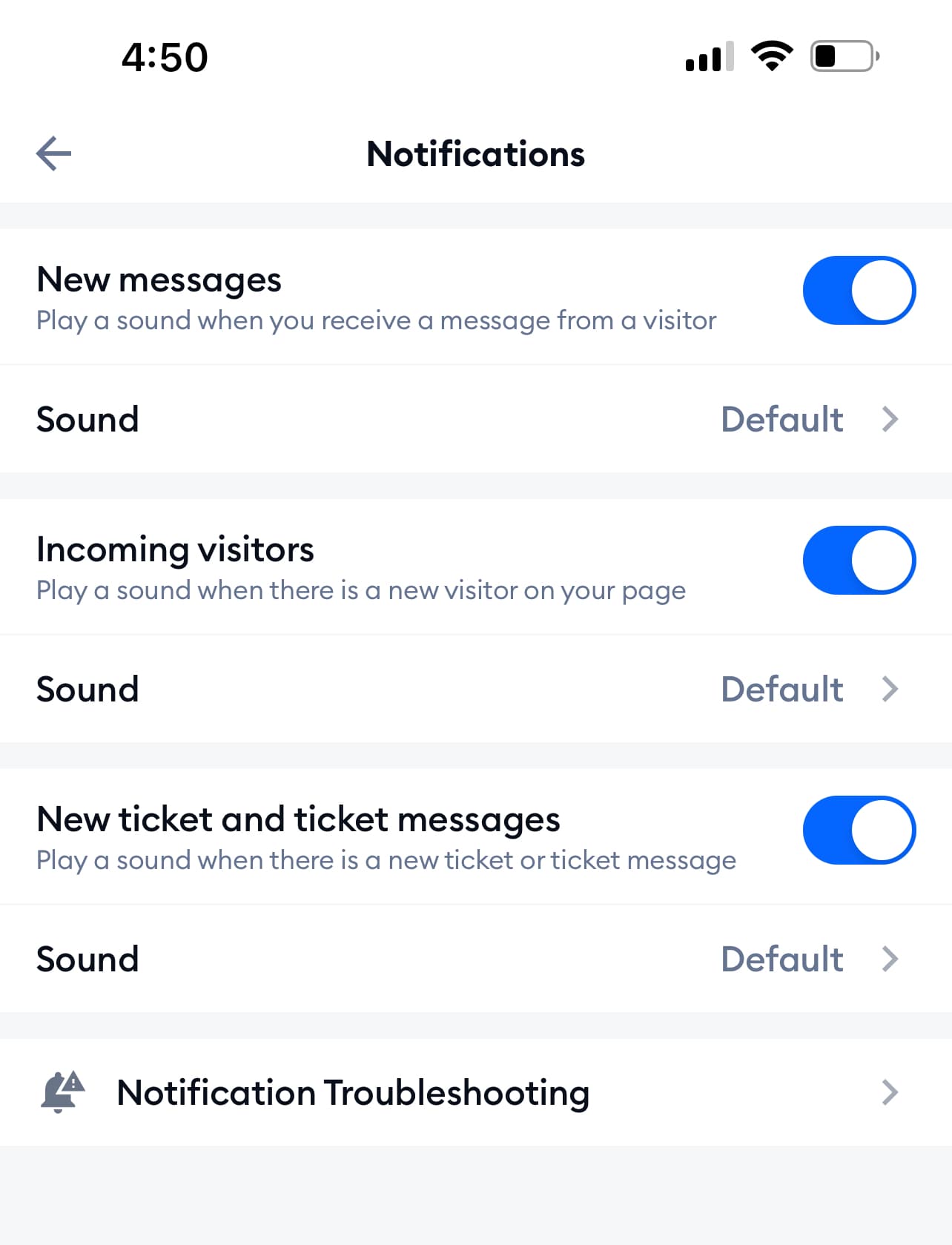
By default, you will receive notifications when there is a new visitor and your status is 'Online'.

You can customize your notifications to only receive notifications when you have a new message and the user has indicated they are looking for mental health support.
-
Open the app and login.
-
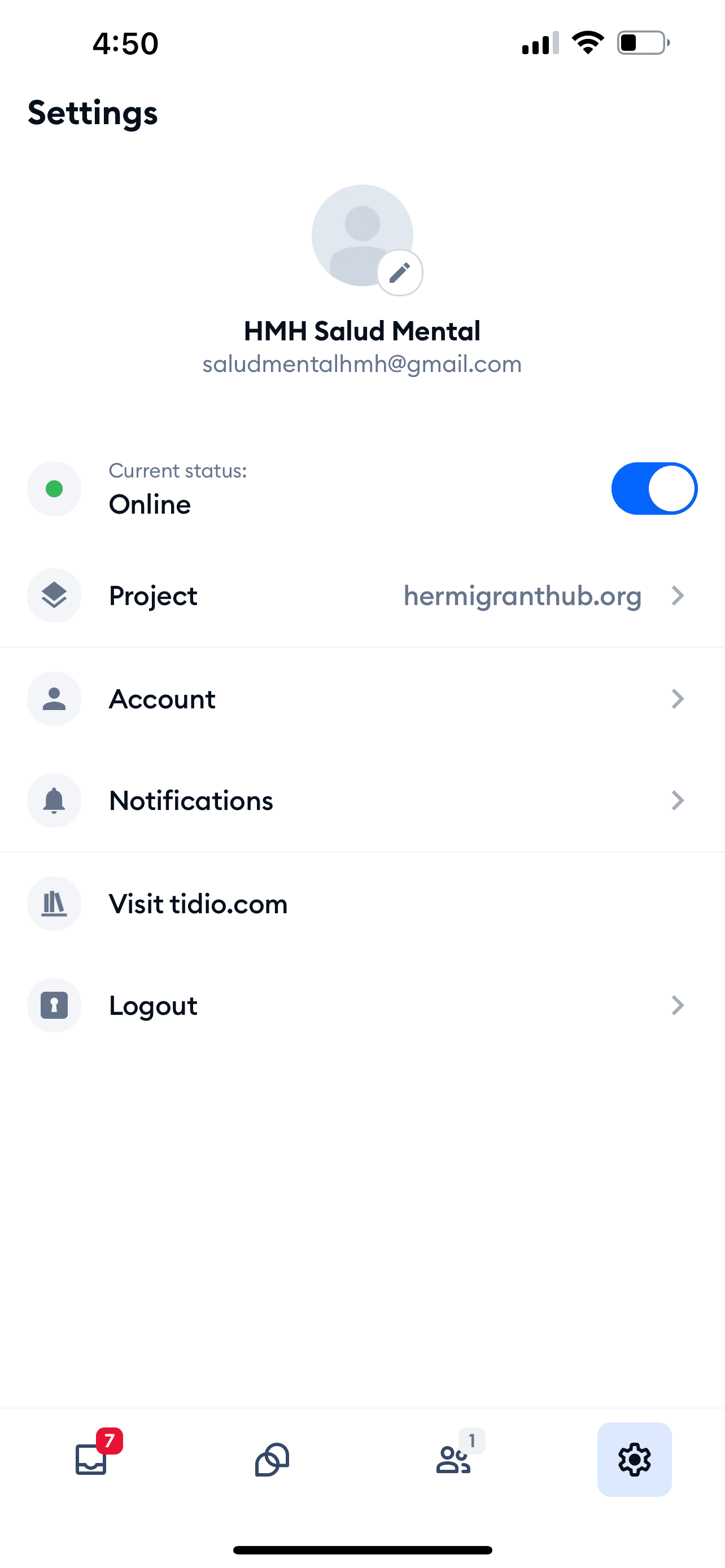
Tap the settings icon in the bottom right corner.
-
Tap Notifications.
-
Tap the toggle to enable or disable notifications.
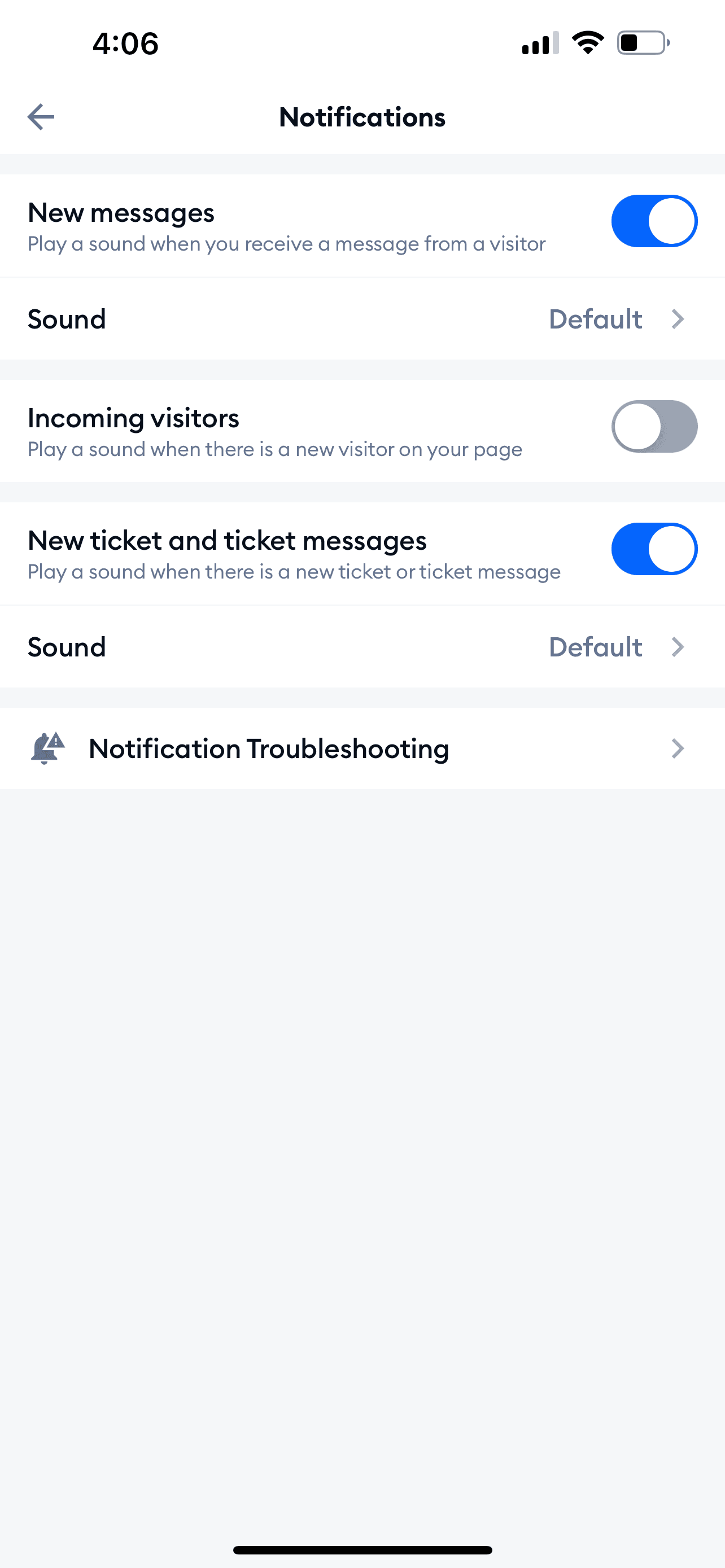
Then you will only receive notifications when you have a new message and the user has indicated they are looking for mental health support.